Telo000
Telo

Telo Inside

What runs, and where.

Three containers next to your database. No migration, no second copy of the data, and the legacy LIS keeps working beside it.
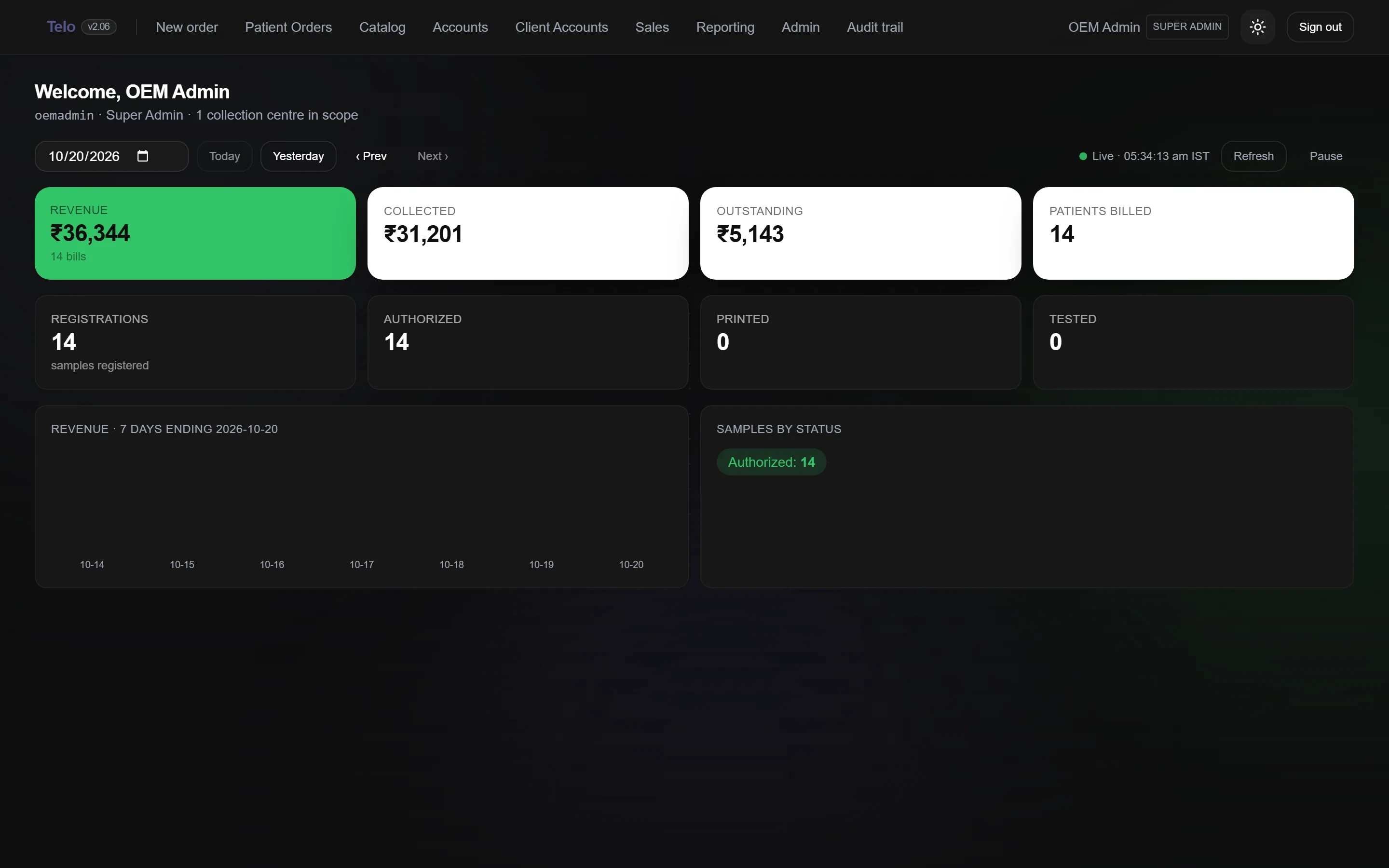
Diagram of the three containers next to the LIS database
  1. Three services

    The web app, a small read-only bridge for the heavy worksheet reads, and a Redis cache for sessions and lookups. One compose file.

    How Telo is deployedThree containers, the Telo web app, a read-only Listec bridge and a Redis cache, sit next to the lab’s existing SQL Server database. The legacy LIS keeps working on the same database.docker compose · telotelo-webNext.js app · the counter,clients, reports, admin127.0.0.1:3110listecRead-only bridge for theworksheet result readsinternal onlyredisSessions and lookup cacheno patient datacaddyHTTPS in front, your domainauto certificatesEvery row Telo writes is stampedaddedby = telo:<user>your SQL Servertbl_med_*tbl_billing_*telo_* sidecarsusp_telo_*The legacy LIS keepsworking on the same tables.0 records migratedreads and writesreads
  2. Roles as data

    Twenty one capabilities, granted per role. Roles map from LIS user types and can be overridden per user. Admins edit them on screen.
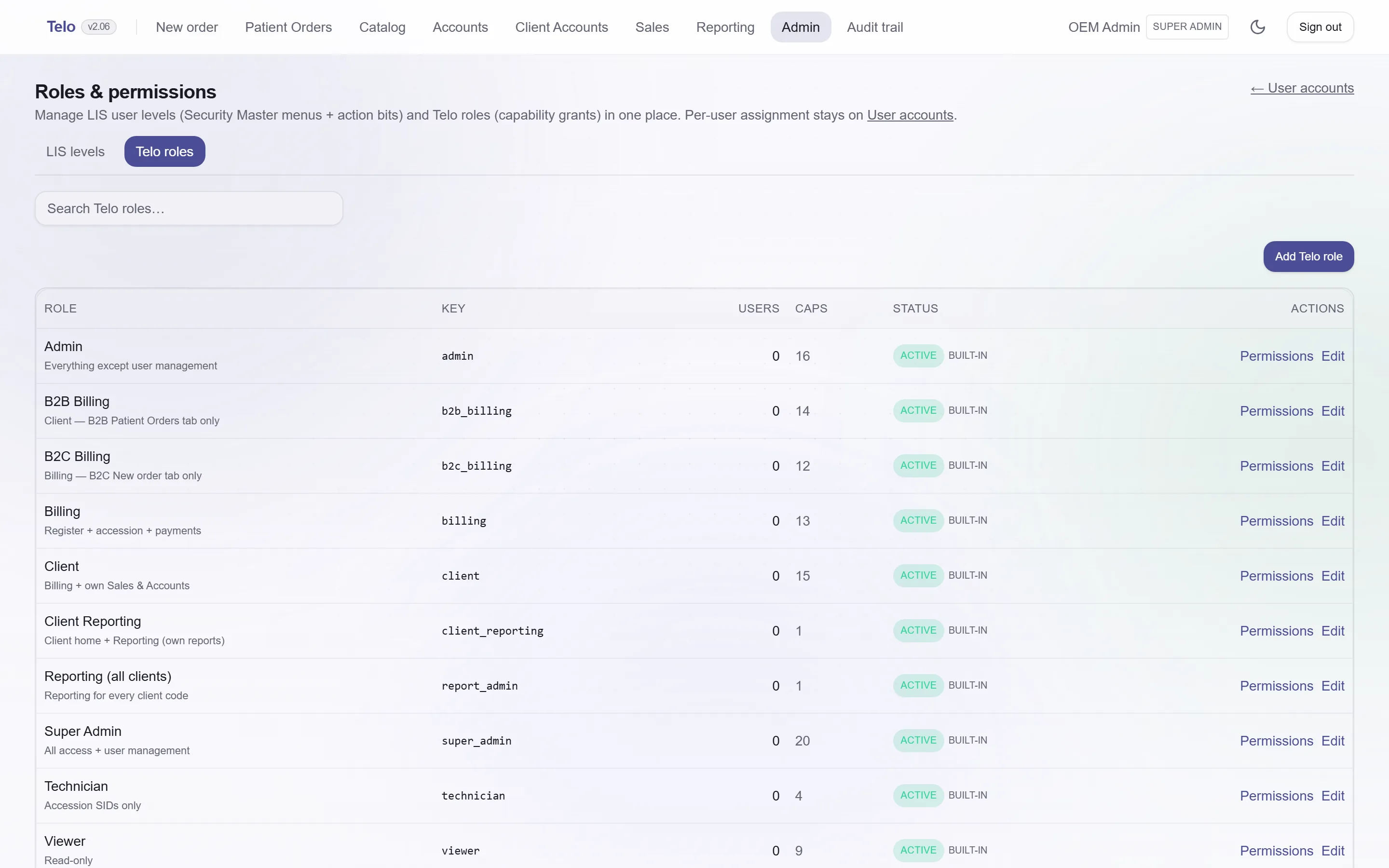
    The roles and permissions screen
  3. Audit trail

    Every write Telo makes is logged with the user, the record and the change. The origin marker on each row makes Telo’s work visible in the LIS too.
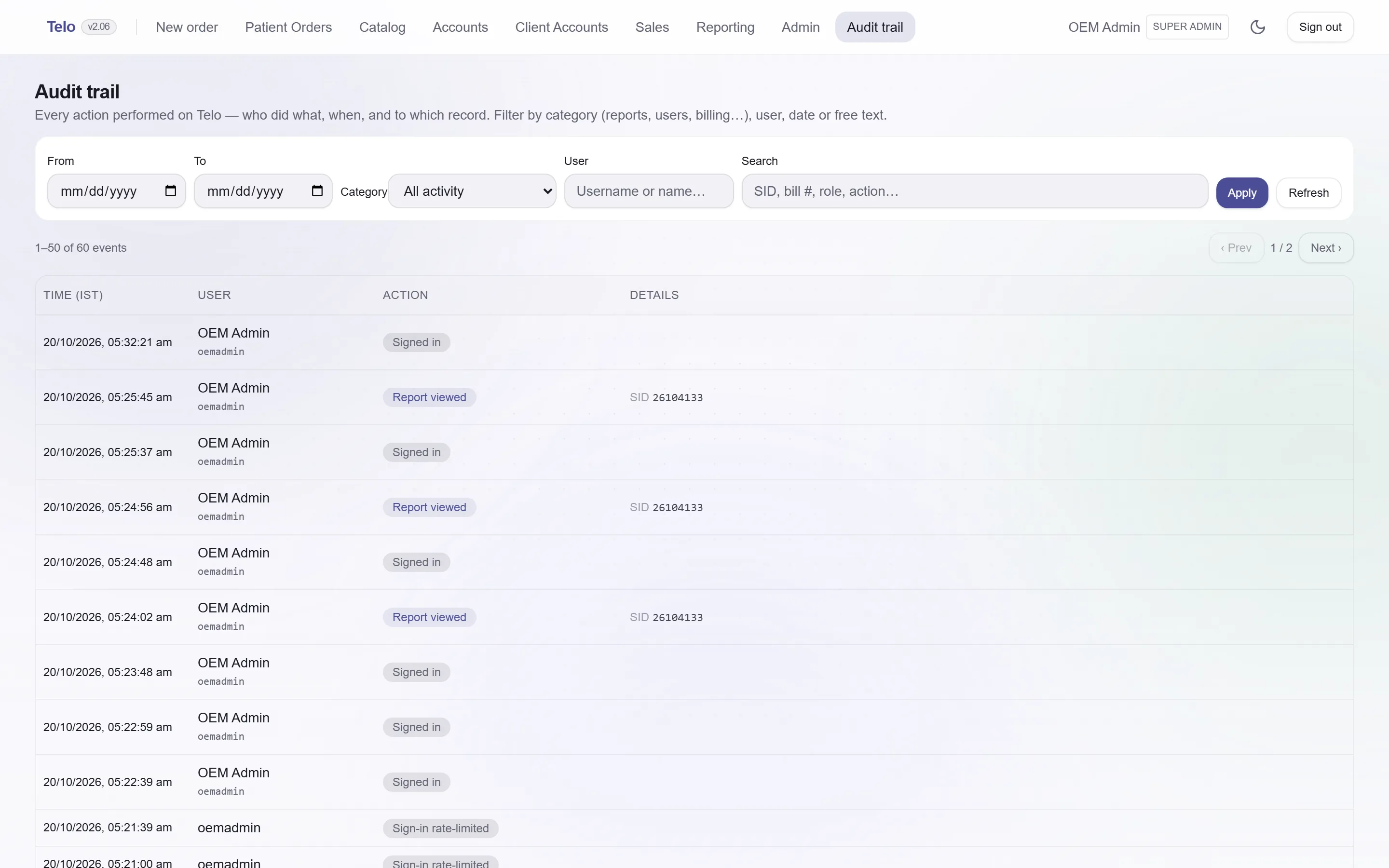
    The audit trail with user, action and record
  4. Accounts and sales

    Bills, collections and balance due by period for the lab and for each client, with Excel export and a printable report.
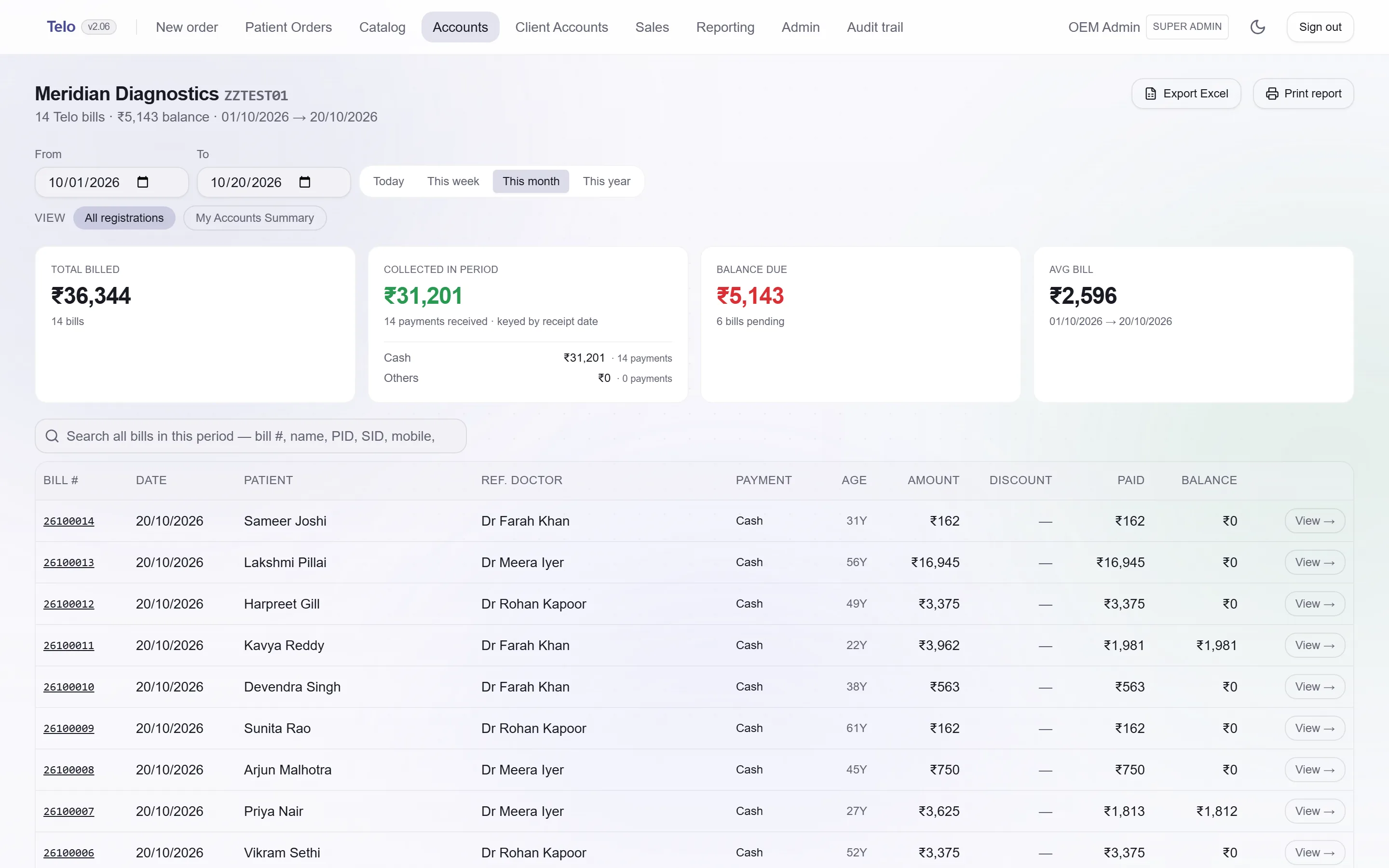
    The accounts screen with collections and balance cards
  5. Dark mode

    The whole app in a dark theme for the night shift. Same layout, same contrast rules.

    The dashboard in dark mode

See it on your data.

Request a demo